AzuraCast WHMCS
Module
The complete automation toolkit for radio hosting providers. Provision stations, control playback with Start/Stop, monitor Now Playing status, and deliver SSO deep-linking — all from WHMCS.
Powerful Features
Everything you need to run a professional radio hosting business, fully integrated with WHMCS.
Addon Module (AzuraCast Manager)
A dedicated WHMCS addon that handles initial setup, custom field creation, email templates, and license management — ready to go in seconds.
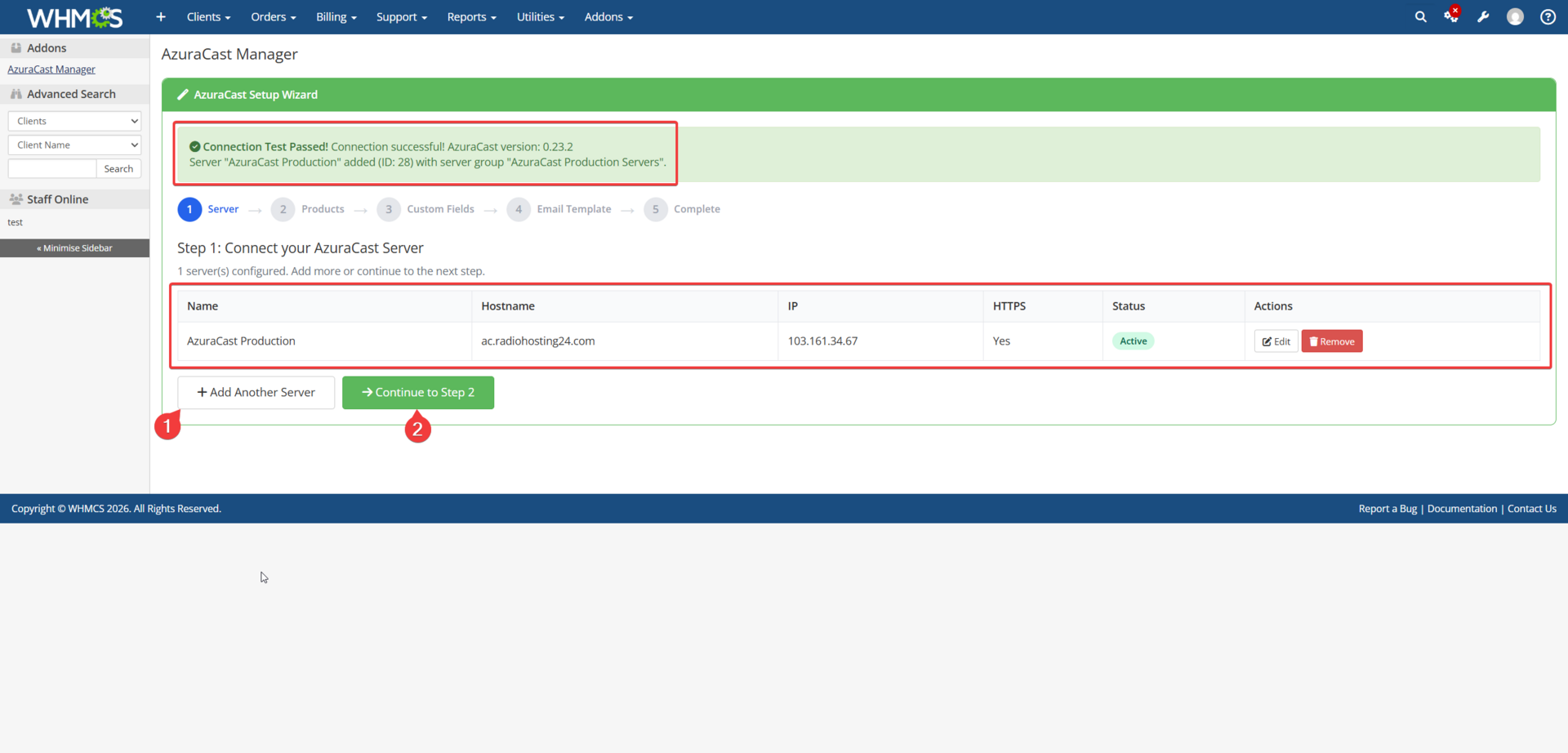
Module Setup Wizard
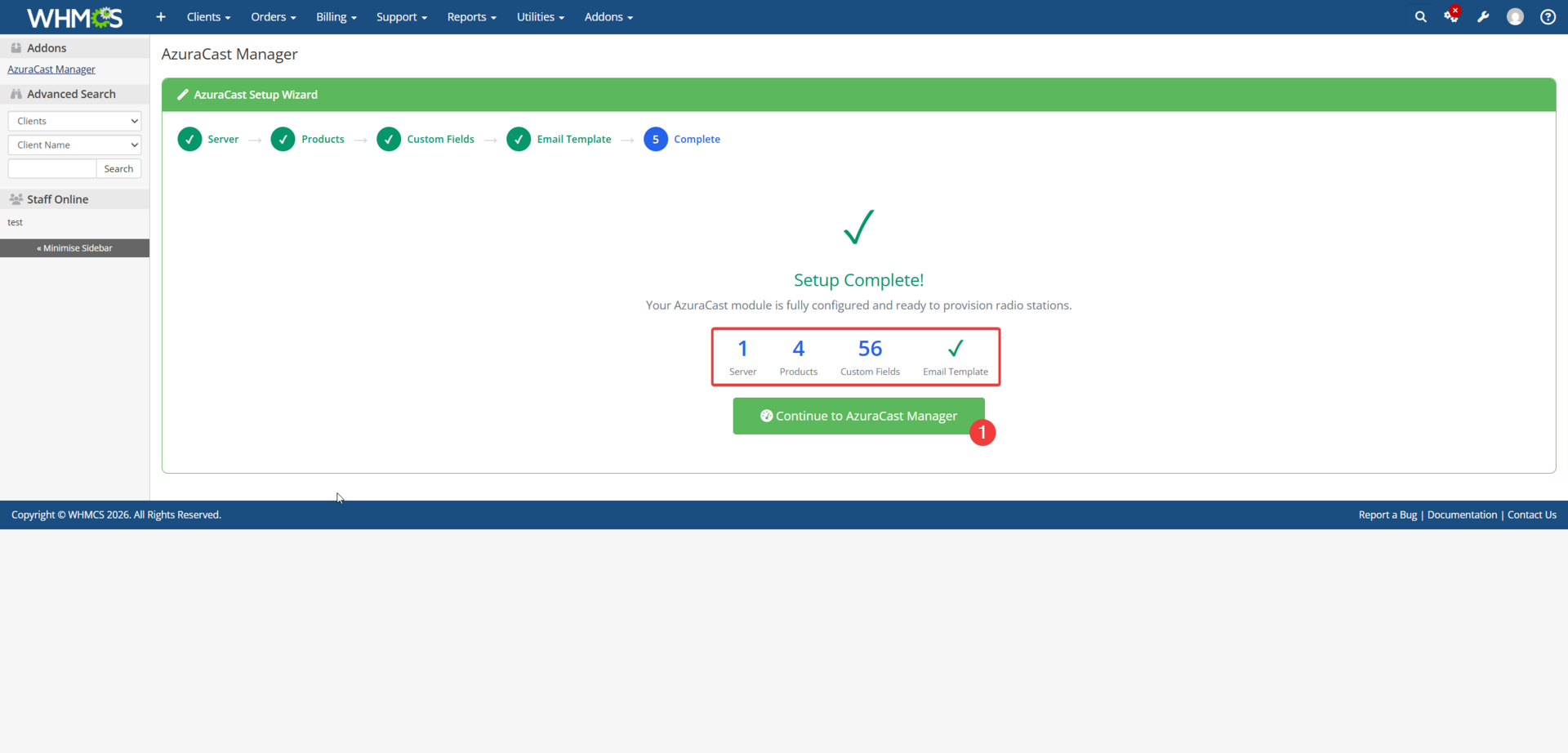
Guided five-step setup after addon activation — configure, validate, and go live in minutes.
AzuraCast Server Setup
Enter your AzuraCast server credentials with full support for single or multiple server configurations.
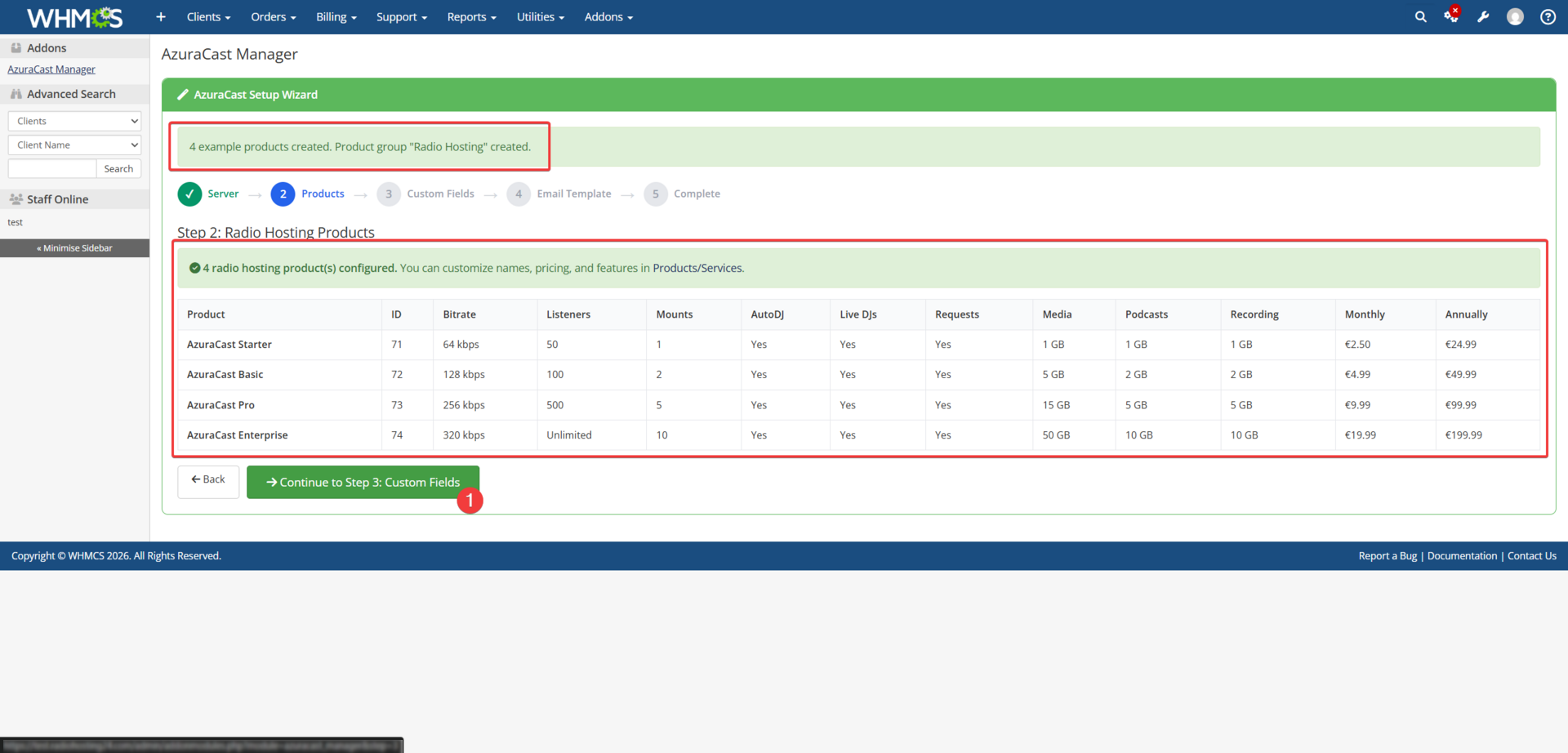
Demo AzuraCast Products
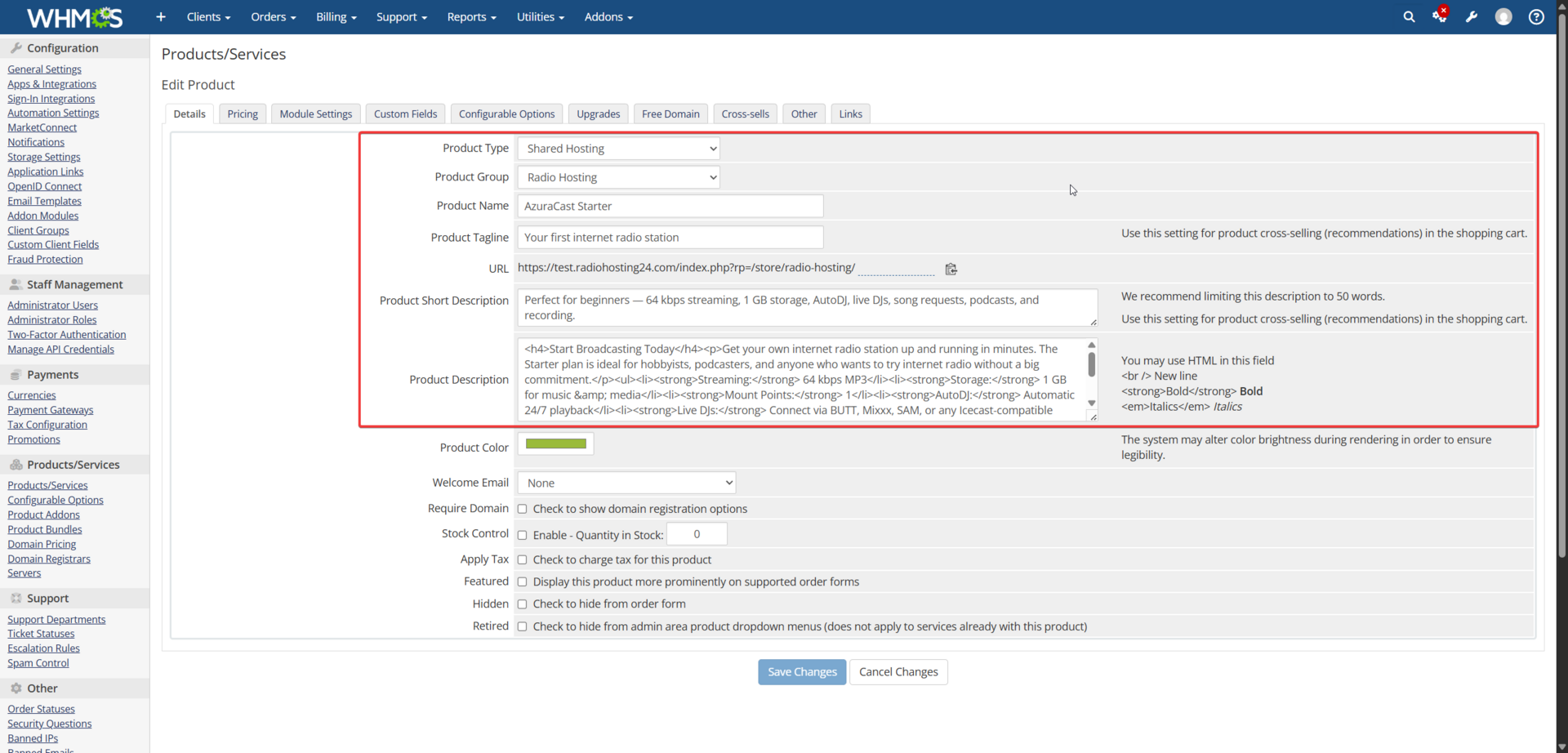
Create four ready-made radio hosting demo plans with configurable options in a single click.
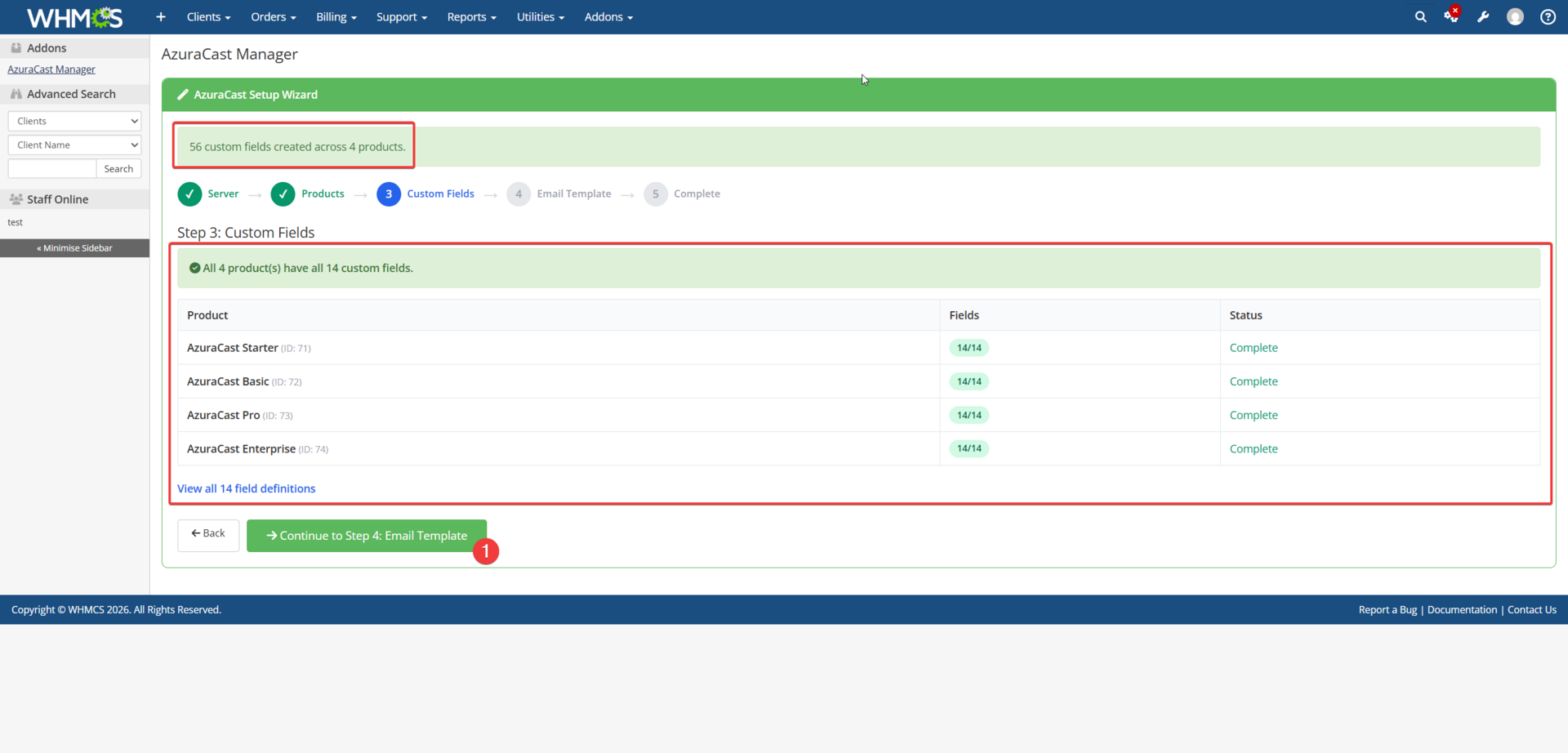
One-Click Custom Fields
Automatically creates all 14 custom fields for every AzuraCast product — no manual work needed.
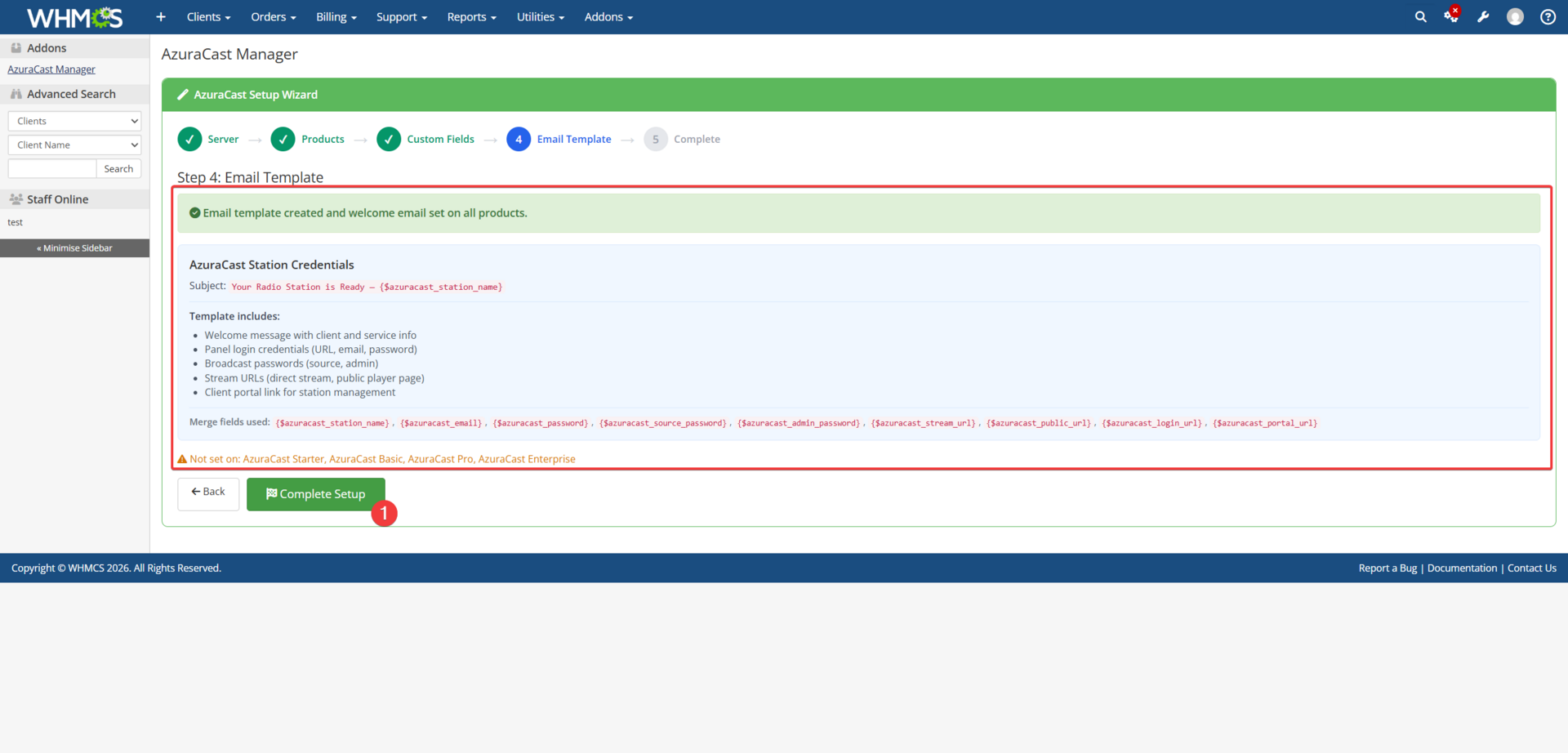
Email Template
Creates a professional “Station Credentials” welcome email sent to customers on provisioning.
Custom Merge Fields
Provides {$azuracast_*} merge fields for email templates — stream URL, passwords, and more.
Auto-Setup on Product Edit
Custom fields are created automatically when you save a product with server type “azuracast.”
License Management
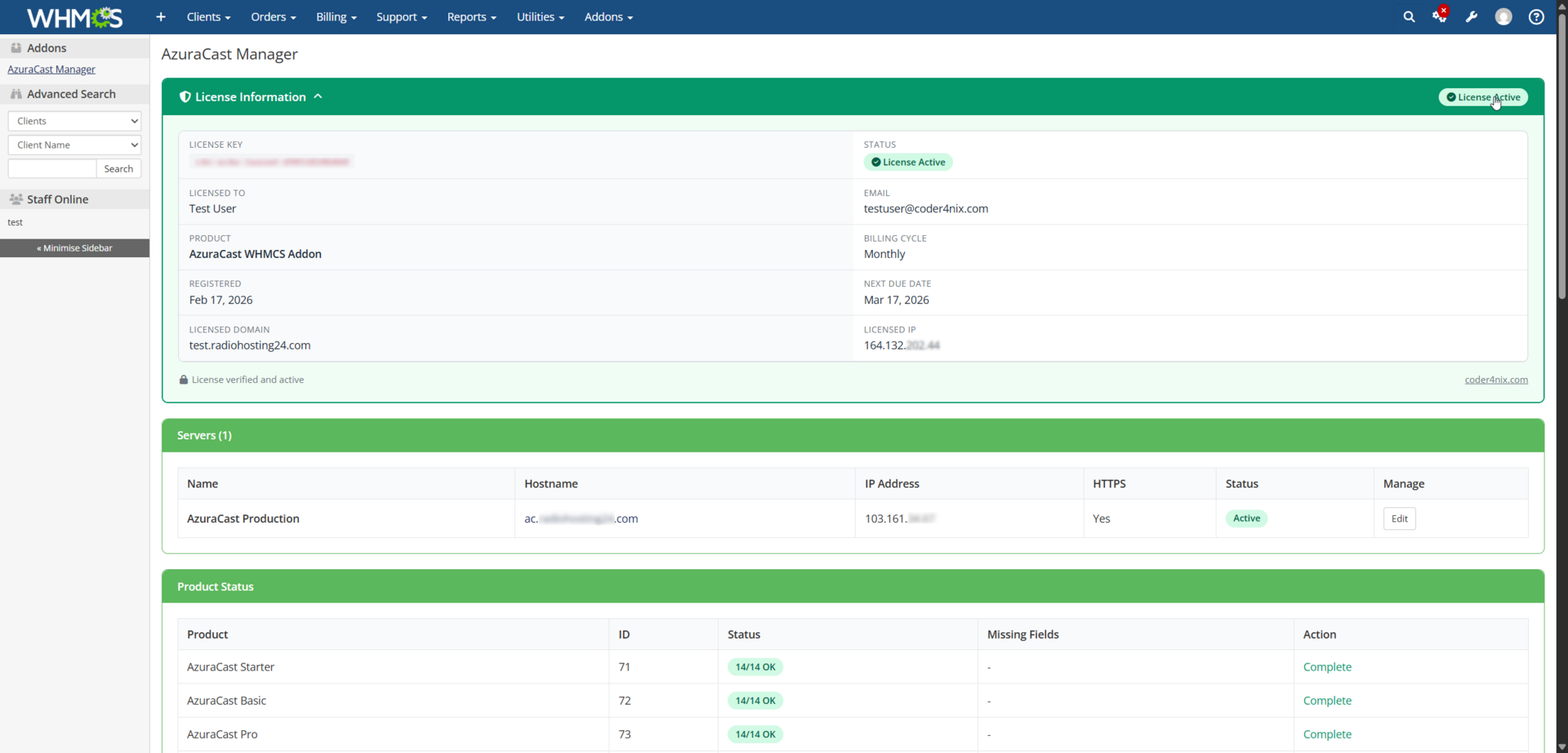
Dashboard with license status, configuration info, and diagnostics — all in one central place.
Provisioning & Lifecycle
From the first order to cancellation — every step of the service lifecycle is fully automated.
Automatic Provisioning
Stations, users, roles, and mount points are created automatically the moment an order is paid.
Suspend / Unsuspend
Stations are disabled or re-enabled based on invoice status via the is_enabled flag — no data loss.
Terminate
Full cleanup of station, user, and role on cancellation — nothing left behind on the server.
Upgrade / Downgrade
Change plan settings like bitrate, storage, listeners, and mounts without reprovisioning the station.
Client Area
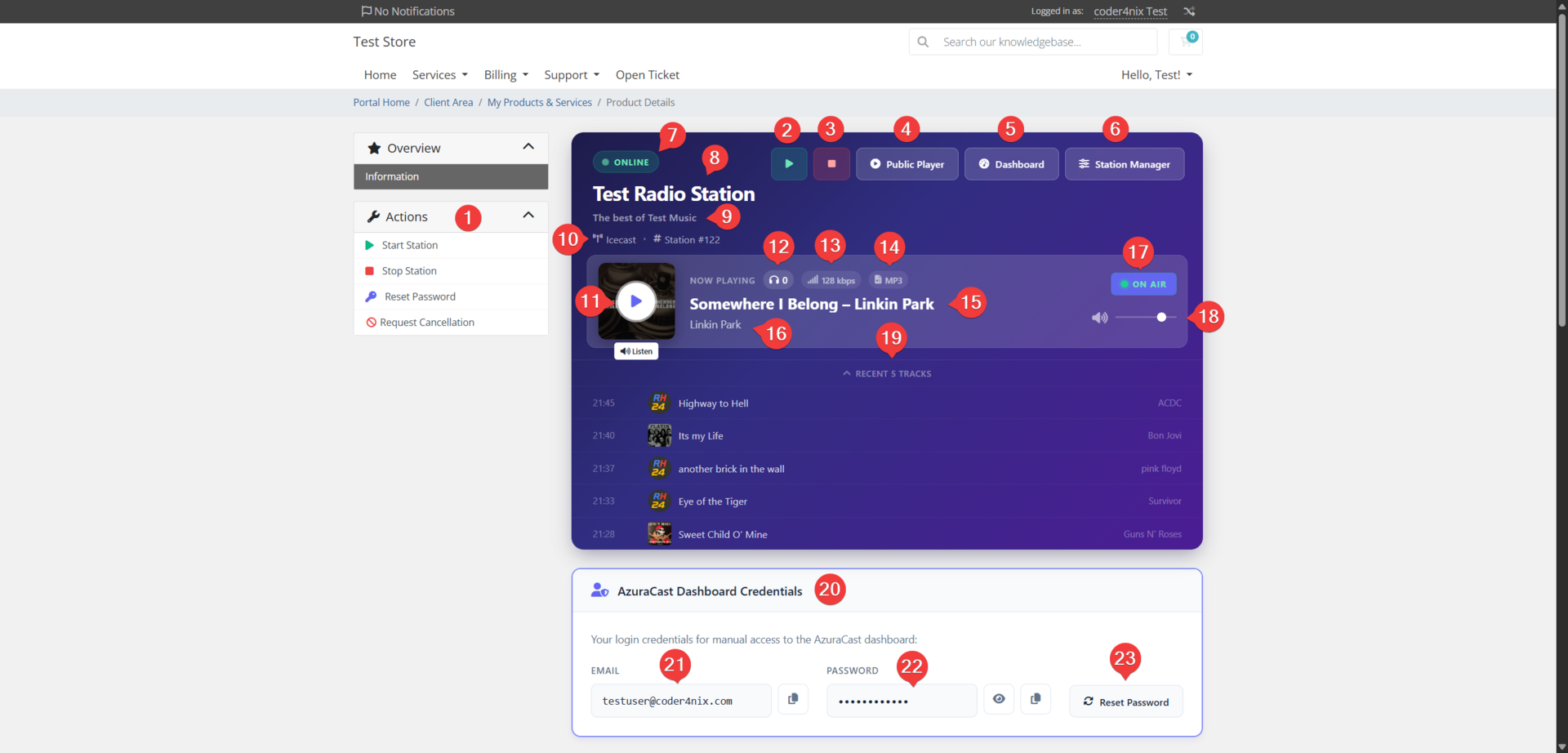
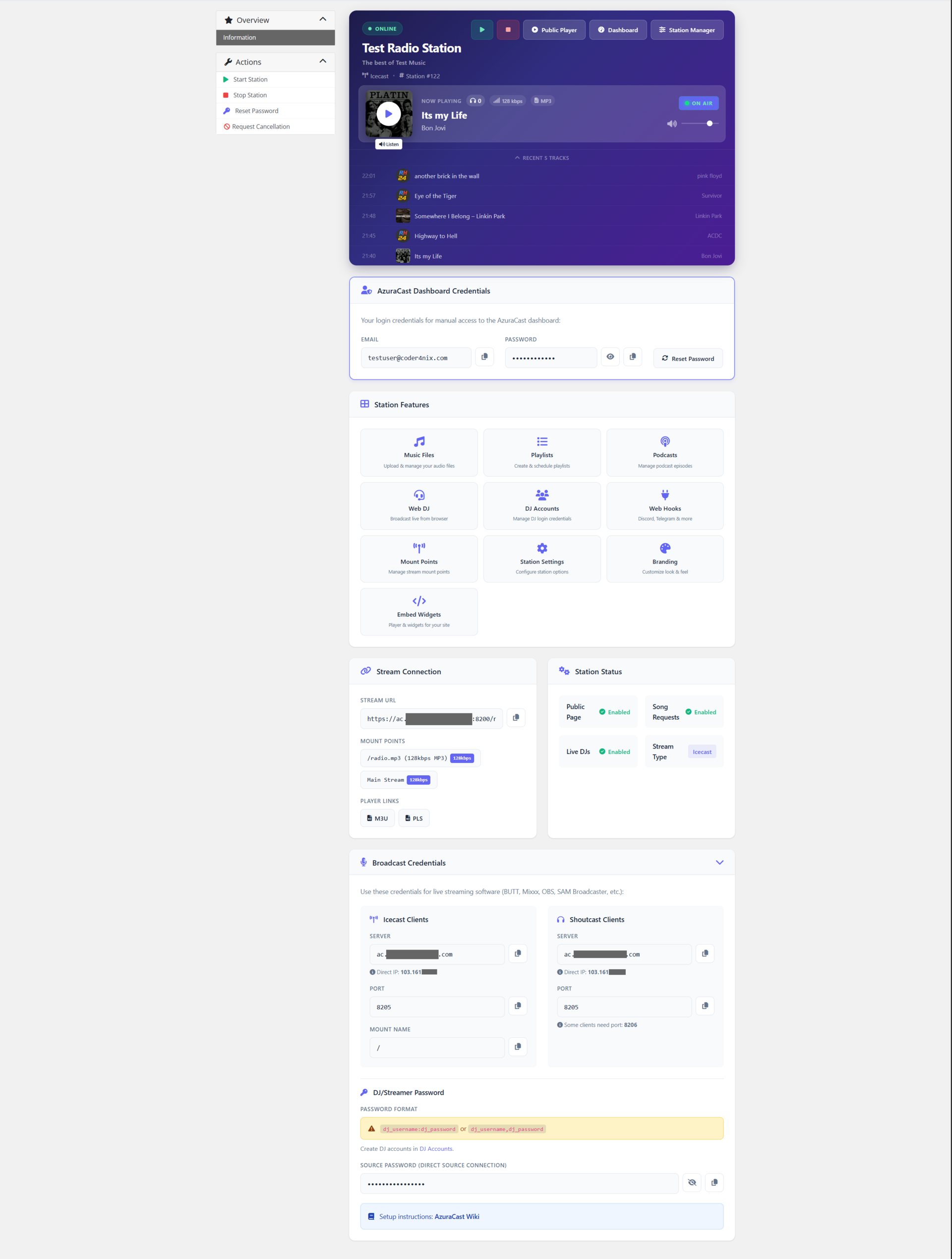
A rich, branded dashboard that gives your customers full control over their radio station.
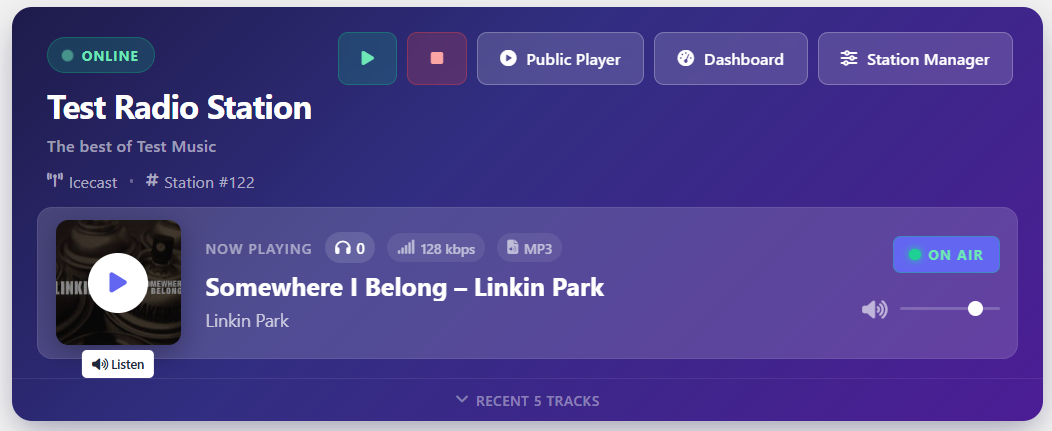
Start / Stop Station
Start and stop your radio station with a single click directly from the WHMCS client area.
Station & Stream Badges
Real-time status badges let you always see whether your station and streams are online, idle, or offline.
SSO Deep-Linking
Customers access AzuraCast features directly from WHMCS via Single Sign-On — no extra login.
Now Playing
Live station info, album art, and listener count updated in real-time via Server-Sent Events.
Audio Player
Built-in stream player with volume control — listen to the station from the client area.
Recent 5 Tracks
Song history of the last five tracks is always visible with title, artist, and timestamp.
Password Reset
Customers can reset their AzuraCast password from the client area without admin help.
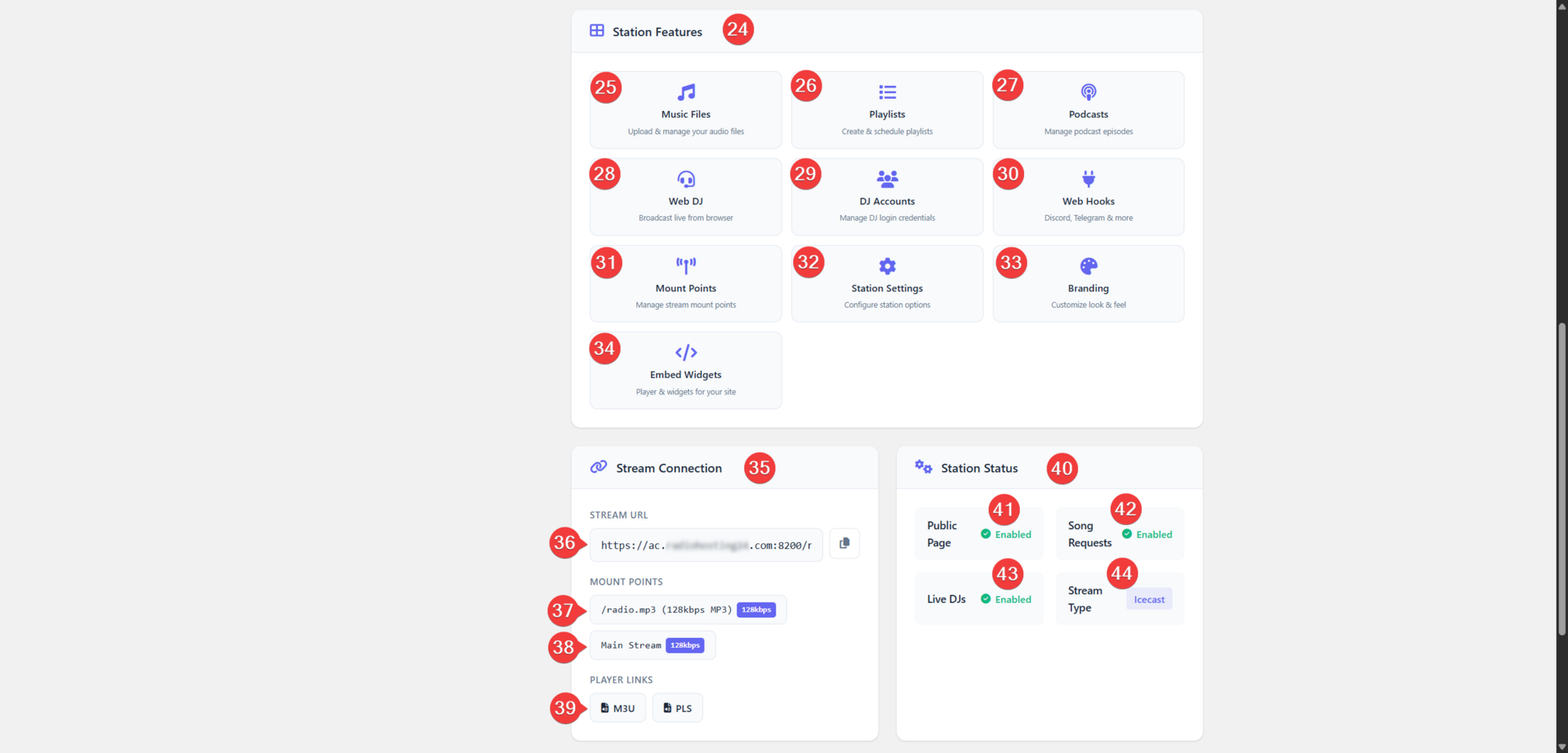
9 Feature Buttons
Music Files, Playlists, Podcasts, Web DJ, DJ Accounts, Webhooks, Mounts, Settings, and Branding.
Admin Tools
Powerful tools for hosting administrators to manage, synchronize, and troubleshoot services.
Sync Tool
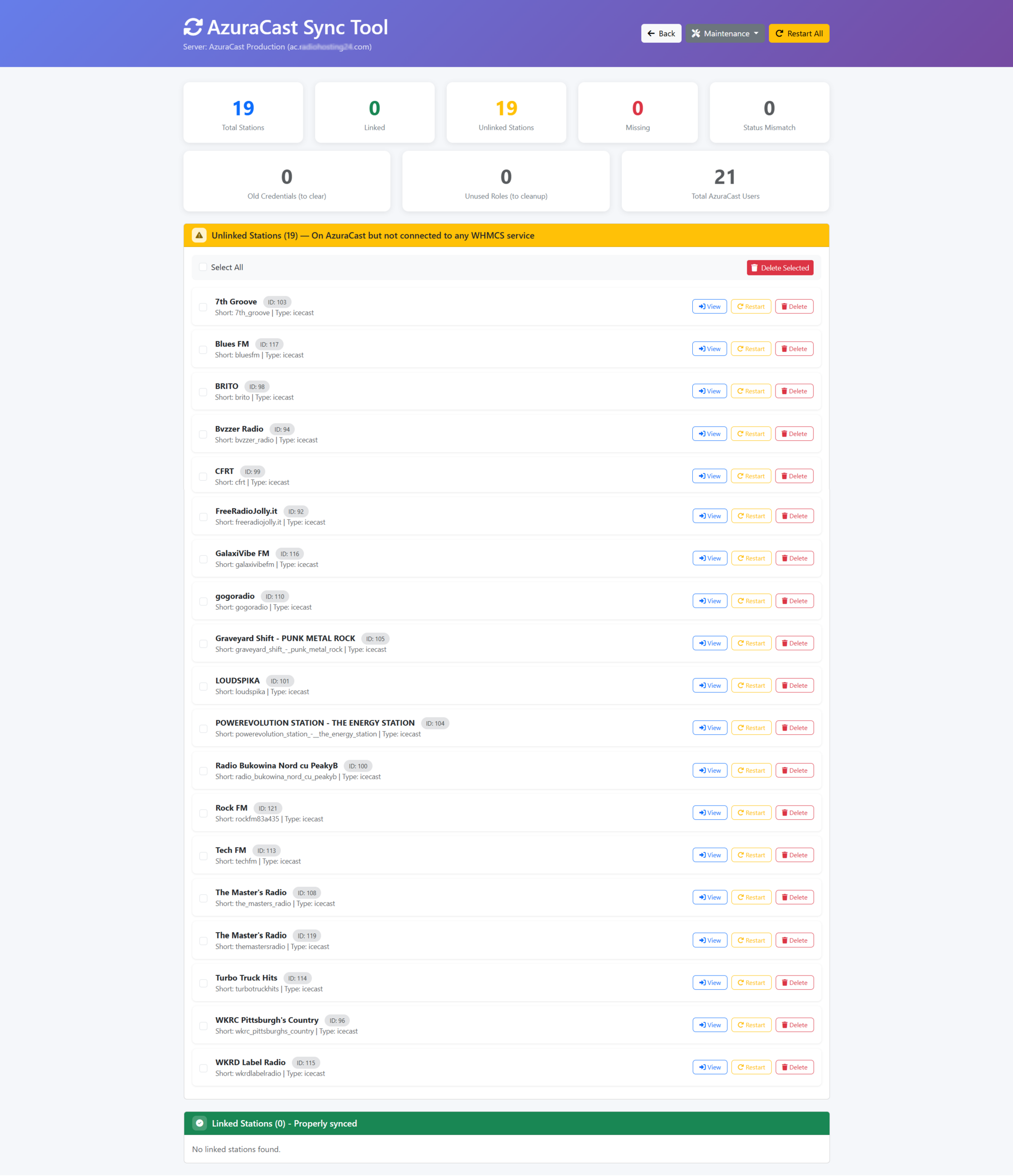
Web UI to detect and fix discrepancies between WHMCS and AzuraCast — bulk sync in one click.
Cron Sync
Periodic background synchronization of station data — stream URLs, listeners, and now playing.
Admin Buttons
Login to Station, Restart, Sync Data, Clear Cache, and Reset Password — from the admin view.
See It In Action
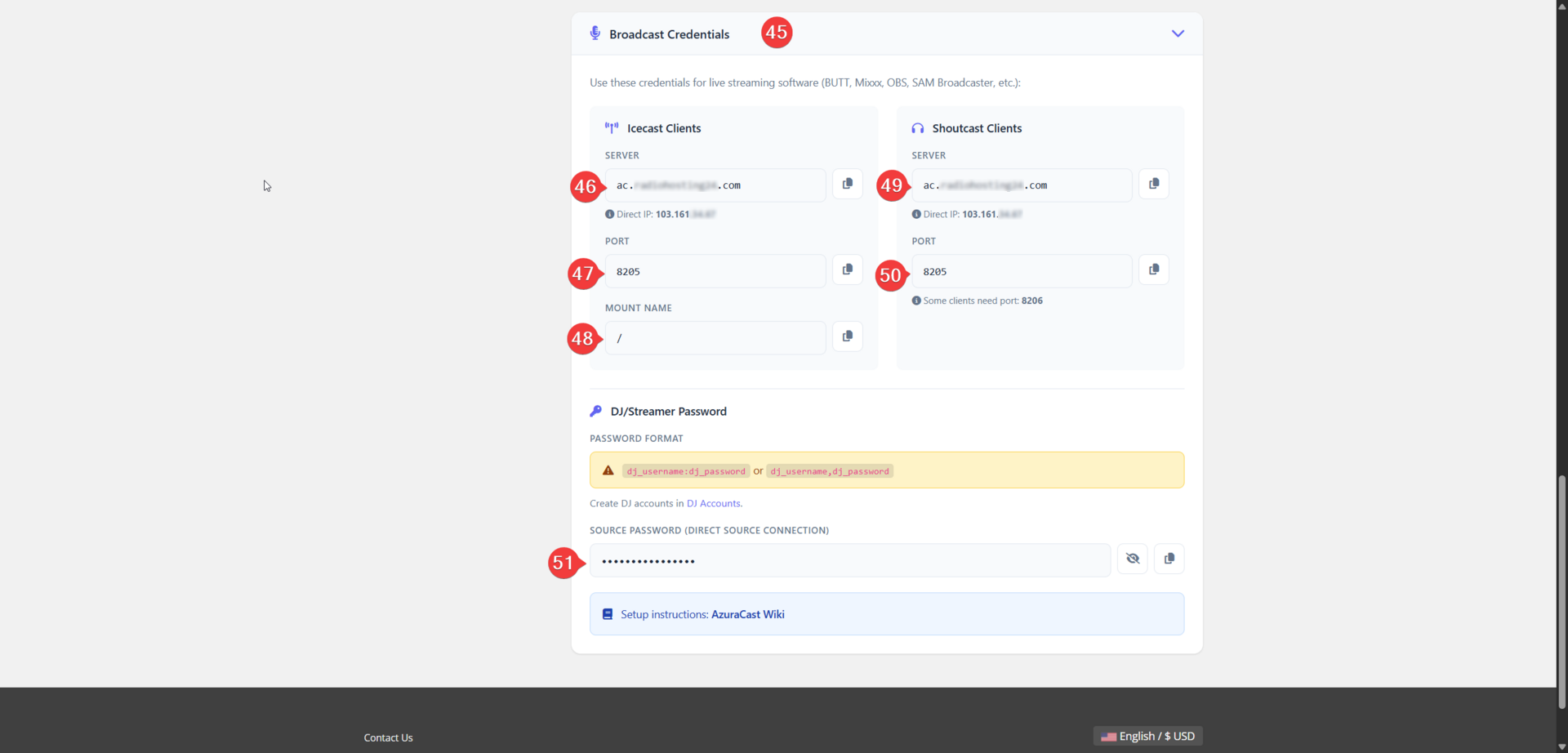
Screenshots from the setup wizard and client area.
How It Works
Get up and running in three simple steps.
Install & Connect
Upload the module files, activate the AzuraCast Manager addon, and run the Setup Wizard. It connects your AzuraCast server, verifies the API, and creates ready-to-sell demo products — all in minutes.
Customize Demo Plans
The Setup Wizard creates demo products for you automatically. Customize them to match your hosting plans — adjust bitrate, max listeners, storage quotas, mount points, AutoDJ, streaming software, and pricing to fit your offer.
Sell & Deliver
Customers order and stations go live instantly. Every client gets a full self-service portal with Now Playing, Start/Stop control, SSO deep-linking, and real-time status — fully automated from order to cancellation.
Watch the Demo
See the module in action — from installation to a live radio station.
Video Coming Soon
A full walkthrough of the AzuraCast WHMCS Module will be available here.
Under The Hood
The module communicates with your AzuraCast server via its REST API. Every provisioning step is fully automated — from station creation to real-time status monitoring.
- Creates station with full configuration in seconds
- Provisions user account with scoped permissions
- Configures mounts, storage, AutoDJ, and formats
- Full lifecycle: suspend, unsuspend, upgrade, terminate
- SSO deep-linking with one-click panel access
- Real-time Now Playing via Server-Sent Events
Seamless Integration
The module acts as the bridge between your billing system and your radio infrastructure.
WHMCS
Orders & Billing
Module
Automation Engine
AzuraCast
Radio Stations
Simple Pricing
Choose the billing cycle that works for you. All plans include the full feature set.
- Full AzuraCast WHMCS Module
- Auto-provisioning & lifecycle management
- SSO deep-linking
- Now Playing player with SSE
- Start / Stop station control
- Real-time status monitoring
- Admin sync tool
- WHMCS 8.x & 9.x compatible
- PHP 8.1 – 8.4 • IonCube encoded
- License & updates included
- Email support
Built For Your Stack
Tested and compatible with the tools you already use.
Frequently Asked Questions
Common questions about the AzuraCast WHMCS Module.
Ready to Automate Your
Radio Hosting Business?
Start delivering radio stations to your customers in seconds, not hours. One module, unlimited possibilities.